The Salesforce and QuickBooks Online integrationSee it before it syncs.
Bindery is a Salesforce app that keeps QuickBooks Online in step with your CRM. Closed deals become customers, invoices and estimates in QuickBooks Online. Payments, credit memos and refunds come back to Salesforce. And before anything goes live, you see exactly what Bindery will write.
No card needed for the 15-day trial. Works with QuickBooks Online companies in the US, Canada, the UK and Australia.
- Runs inside your Salesforce org
- Your financial data never touches our servers
- QuickBooks Online in the US, Canada, UK and Australia
- Priced per company, never per user
Why Bindery
Built for the three questions finance keeps getting.
“Did they pay?”
Payments, right on the record.
Payments recorded in QuickBooks Online appear on the Salesforce record, so sales can see it without asking finance.

“Can you raise the invoice?”
Closed deals become invoices.
A closed opportunity becomes a QuickBooks Online invoice with the right customer, products, tax and billing contact.
“Why isn’t this in QuickBooks?”
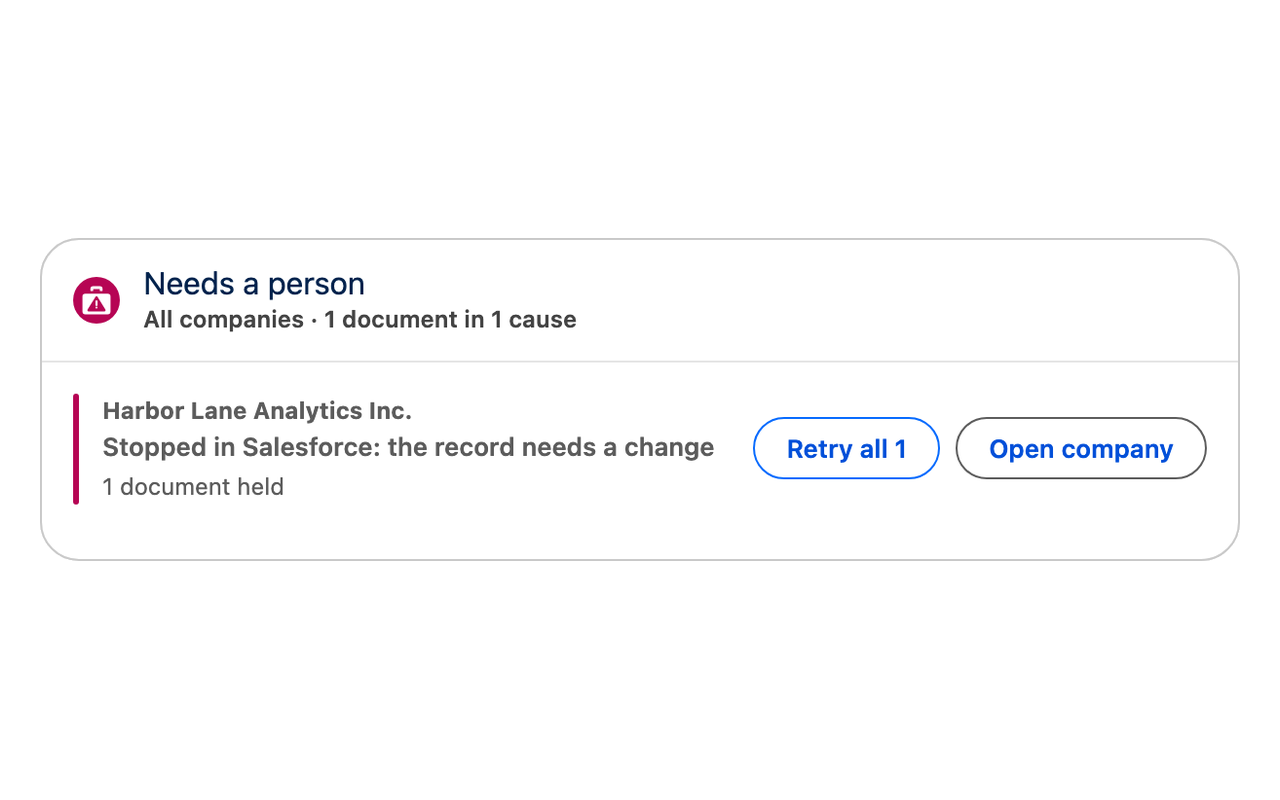
Failures with a name and a reason.
When a record fails, you get an alert that names the record and the reason, with a Retry button. Never silence.
How it works
Three steps, and you approve the last one.
Connect
Install Bindery in Salesforce and connect your QuickBooks Online company through Intuit’s own sign-in. Several companies? Route each account to the right one.
Map and check
Choose which records sync, map fields and picklist values, and pick where the billing contact comes from. A pre-launch data check finds problems in your Salesforce data before anything is sent.
Preview and go live
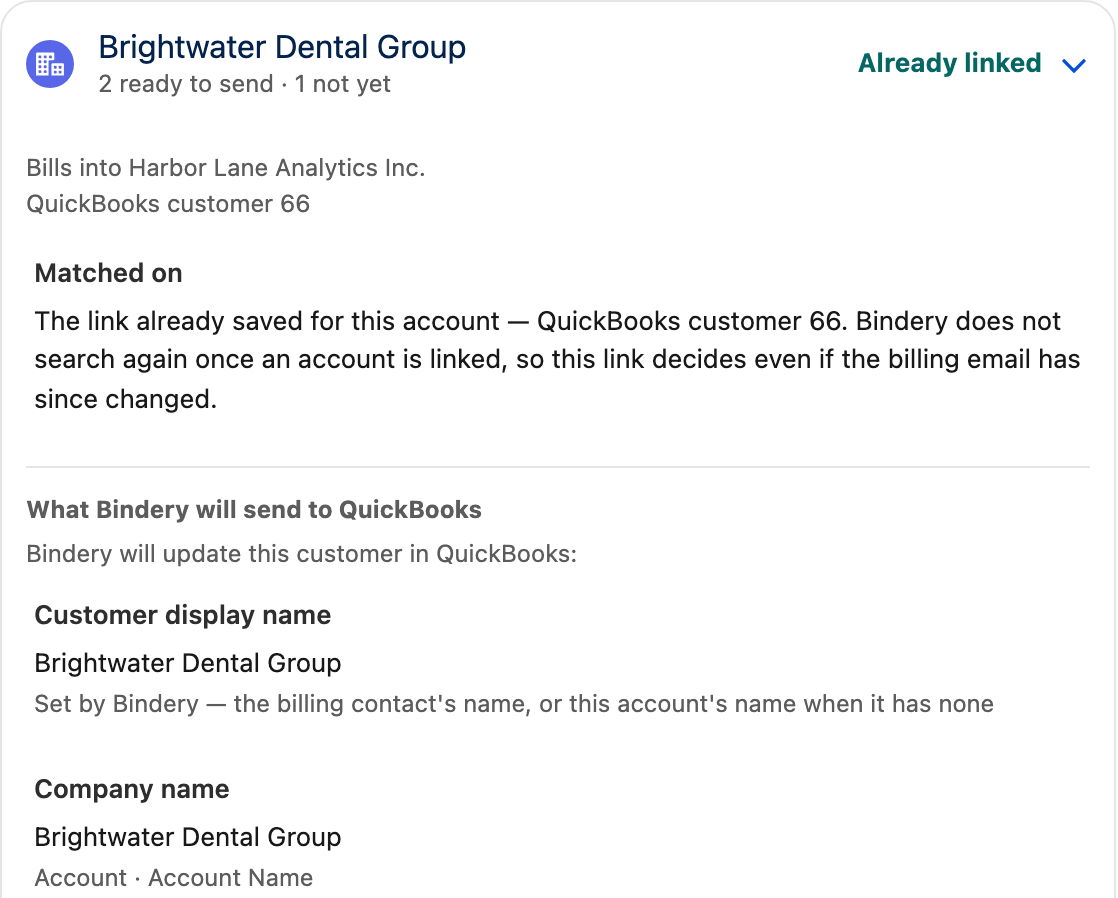
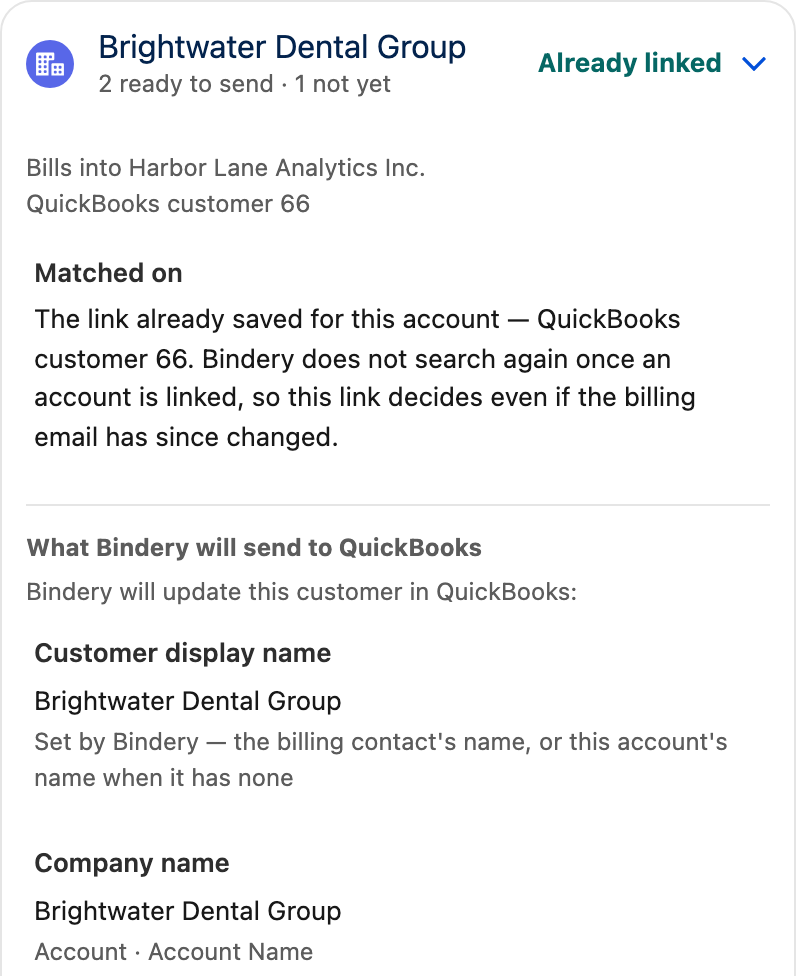
Bindery shows you, record by record, what it will create in QuickBooks Online. Approve it, and you’re live.
- SalesforceAccounts and contactsboth waysyour choiceQuickBooks OnlineCustomers
- SalesforceOpportunities or orders, with linesfrom Salesforce to QuickBooks OnlineQuickBooks OnlineInvoices and estimates
- SalesforceInvoice and estimate statusfrom QuickBooks Online to SalesforceQuickBooks OnlineChanges and voids made in QuickBooks Online
- SalesforcePayments, credit memos, refund receiptsfrom QuickBooks Online to SalesforceQuickBooks OnlinePayments, credit memos, refund receipts
- SalesforceProductsboth waysmatchedQuickBooks OnlineItems
See it before it syncs
No surprises in your books.
Most connectors tell you what they did after they’ve done it. Bindery shows you first.
Pre-launch data check
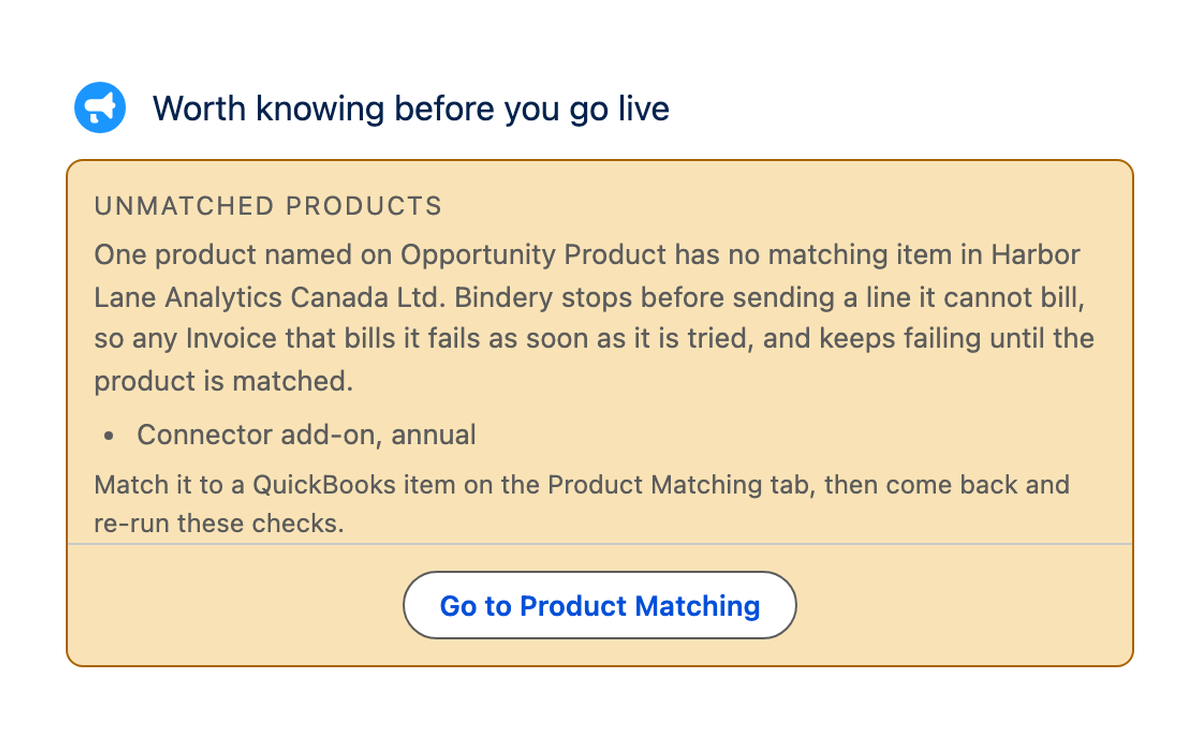
Before go-live, Bindery checks your Salesforce data for the problems that would fail or mislead in QuickBooks Online: unmatched products, two accounts that would merge into one customer, currencies the company doesn’t accept, invoices with no lines. It also refuses to go live from a sandbox copied from production, so a test org can’t write to your real books. Nothing is sent to QuickBooks Online while it checks.
Preview and approval
The preview uses the same rules as the live sync, so what you approve is what happens.
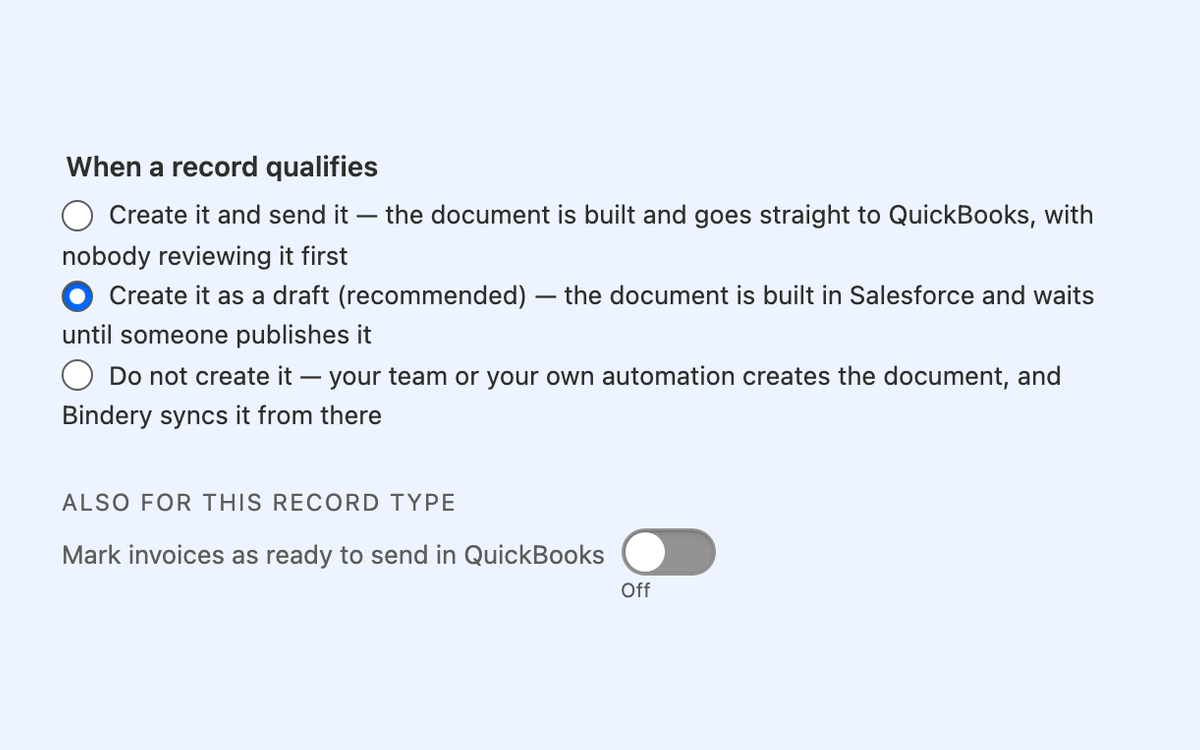
Drafts by default
Each new invoice or estimate starts as a draft in Salesforce, for someone to check and publish. Switch to fully automatic when you trust it.
Trust
Your financial data never touches our servers.
Customers, invoices and payments travel directly between your Salesforce org and Intuit’s QuickBooks Online API. Bindery’s small hosted service has one job: connecting your org to Intuit and keeping that connection alive. It stores no accounting records.
- Intuit’s app secret never ships inside the package.
- Your QuickBooks Online token is stored only in encrypted form, locked to your org and your company.
- Every read and write respects your Salesforce users’ permissions and field-level security.
(AWS, United States)
Compared
Inside Salesforce, not beside it.
Three ways to connect Salesforce and QuickBooks Online, and what each one means for your books.
| Compared on | Bindery | Middleware platforms | Custom code |
|---|---|---|---|
| Where it runs | Inside your Salesforce org, as a managed package | On the vendor’s platform, between your two systems | In your org, written by your team |
| Where your records travel | Straight from your org to Intuit’s QuickBooks Online API. Only sign-in passes through Bindery’s relay. | Through the vendor’s platform | Wherever your code sends them |
| Before anything is sent | A data check, and a record-by-record preview you approve | What your workflow is built to do | What your team builds and tests |
| When a sync fails | An alert that names the record and the reason, with Retry | Depends on the platform and how the workflow is built | What your team builds |
| Who keeps it working | Bindery | You maintain the workflows; the vendor maintains the platform | Your team, for as long as you run it |
| How it’s priced | Per org and per company, never per user | Varies by vendor | Developer time |
Is Bindery right for you?
Good fit
- You use Salesforce and QuickBooks Online.
- You invoice from opportunities or orders.
- You have one or several QuickBooks Online companies in the US, Canada, the UK or Australia.
- You want to see and approve what syncs before it reaches your books.
Not yet
- QuickBooks Desktop. Bindery is for QuickBooks Online only.
- Bills, purchase orders or journal entries.
- Changes appearing in QuickBooks Online data within seconds. Bindery checks QuickBooks Online on a schedule: every 30 minutes by default, as often as every 5.
- Tax-inclusive pricing, or companies in British Columbia or Quebec.
- Automatic currency conversion.
See it before it syncs.
Install Bindery, connect a company and preview your first sync. Free for 15 days.